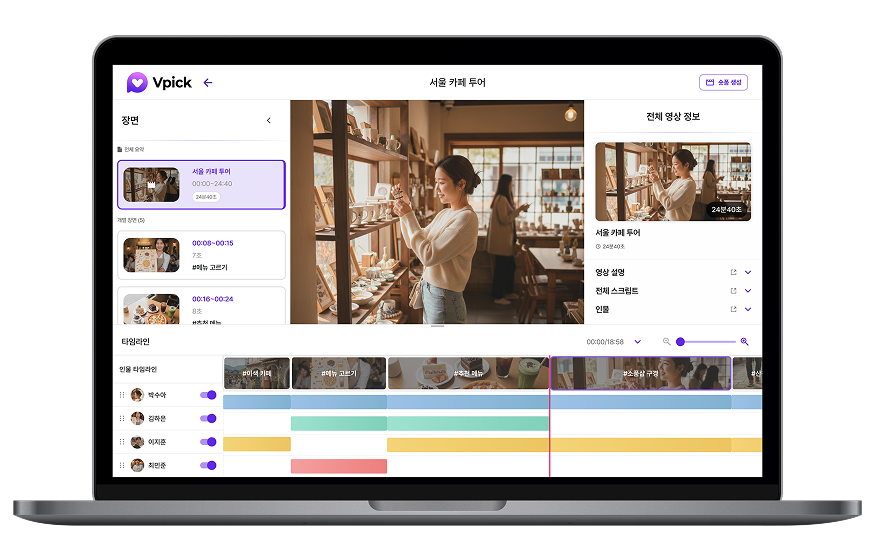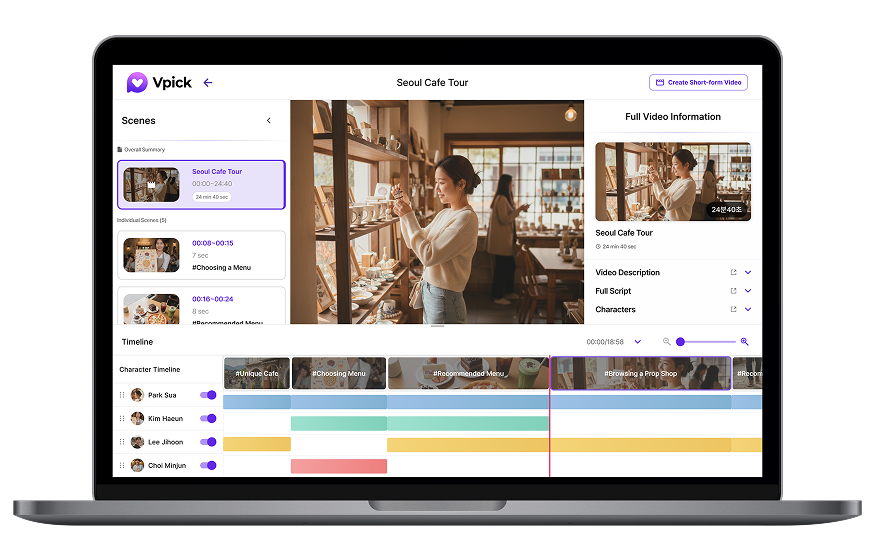


We’re in an era where a single long-form video needs to be repurposed into short-form content as well, and the time and resources required for video editing can often feel burdensome. Vpick analyzes your video to automatically generate short-form content, and also allows you to manually select specific segments or combine clips from multiple videos to create new short-form videos.
In this tutorial, we will walk through everything step by step—from how to create short-form videos, to producing additional shorts, generating shorts based on specific people, and finally how to review completed shorts along with the viral guide.
1. Generate short-form videos automatically using AI-recommended segments.
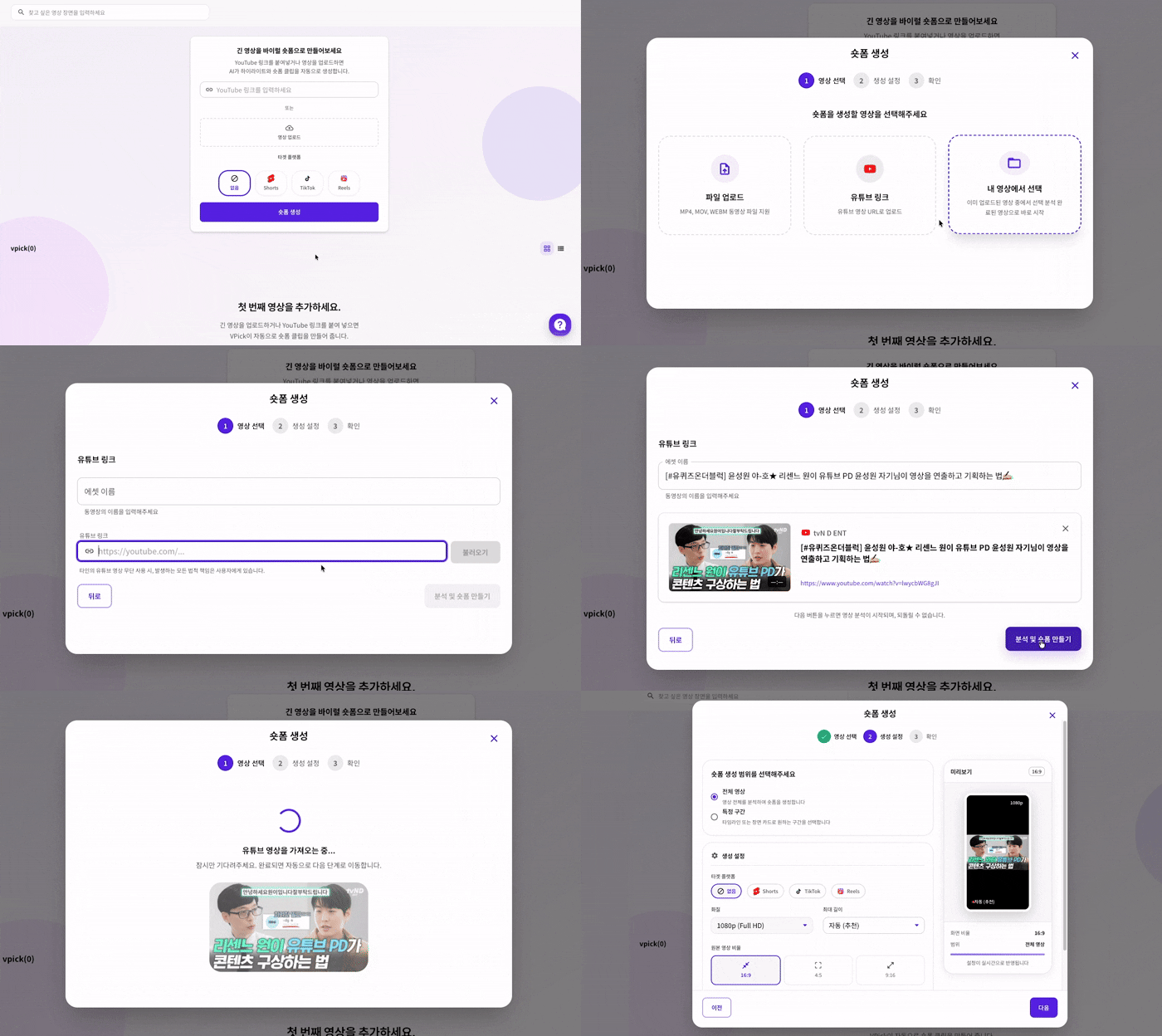
If you want AI to automatically generate short-form videos without any additional settings as soon as you upload a video, you can create a project and generate shorts directly from the main screen.
By pasting a YouTube URL or uploading a local video file, you can configure detailed options to match your desired format.
- Segment selection: Analyze the entire video or select only specific sections you want.
- Quality settings: Choose the optimal video quality based on your production purpose.
- Maximum short-form length: Set a duration limit of up to 3 minutes.
- Aspect ratio: Select formats such as vertical (9:16) optimized for short-form platforms.
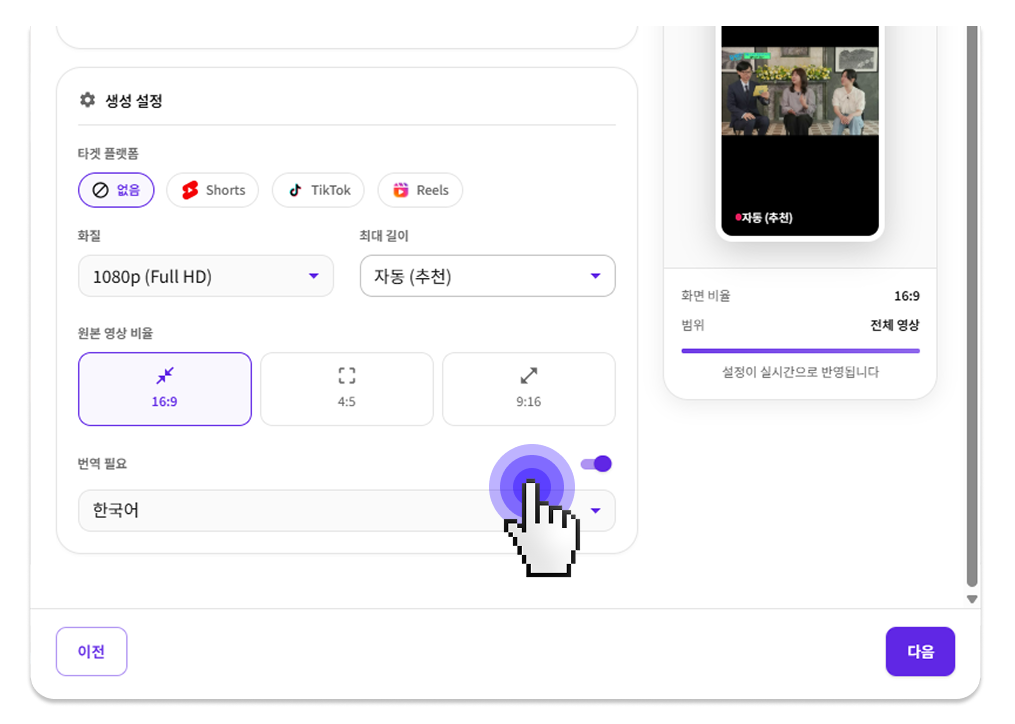
‘Enable translation’ allows short-form videos to be automatically translated into 14 languages, including Korean, English, and Japanese. This translation applies not only to the video but also to the ‘Viral Guide’ introduced later.
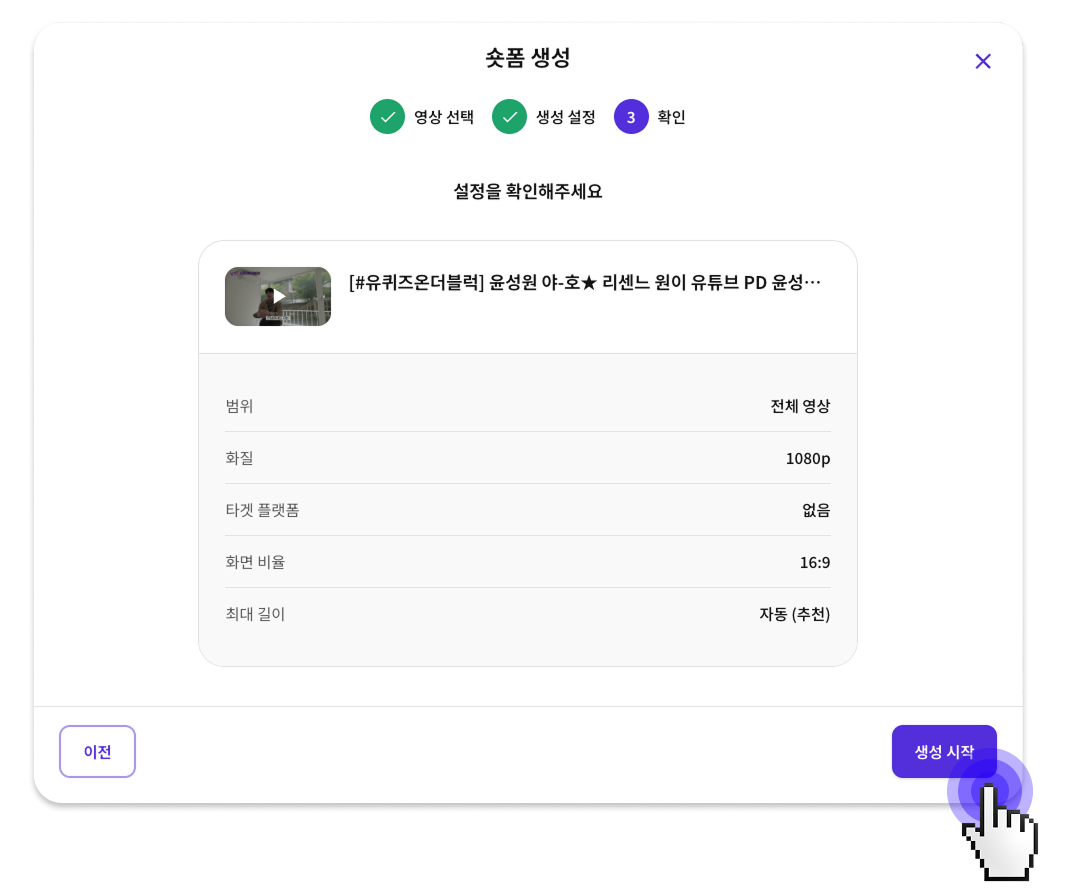
After completing the option settings, click the [Start Generation] button, and the AI will automatically analyze the video and extract the most suitable key highlight segments for short-form content.
2. Create additional short-form videos from custom-selected segments.
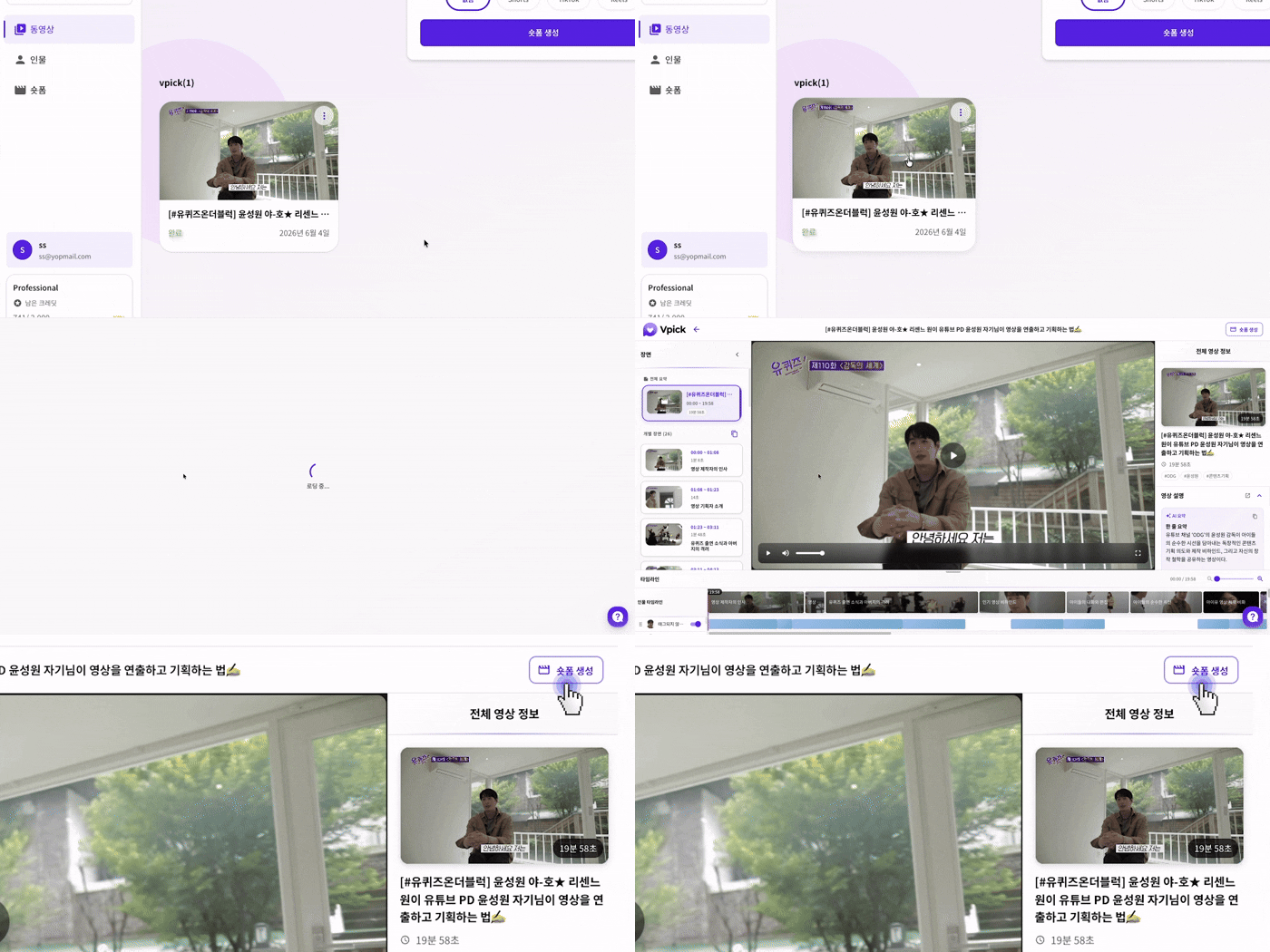
If you are not satisfied with the automatically generated short-form videos and want to create additional ones, or if you want to turn a specific scene into a short-form video exactly as it is,
select the analyzed video and click the Create Short-form button at the top right.
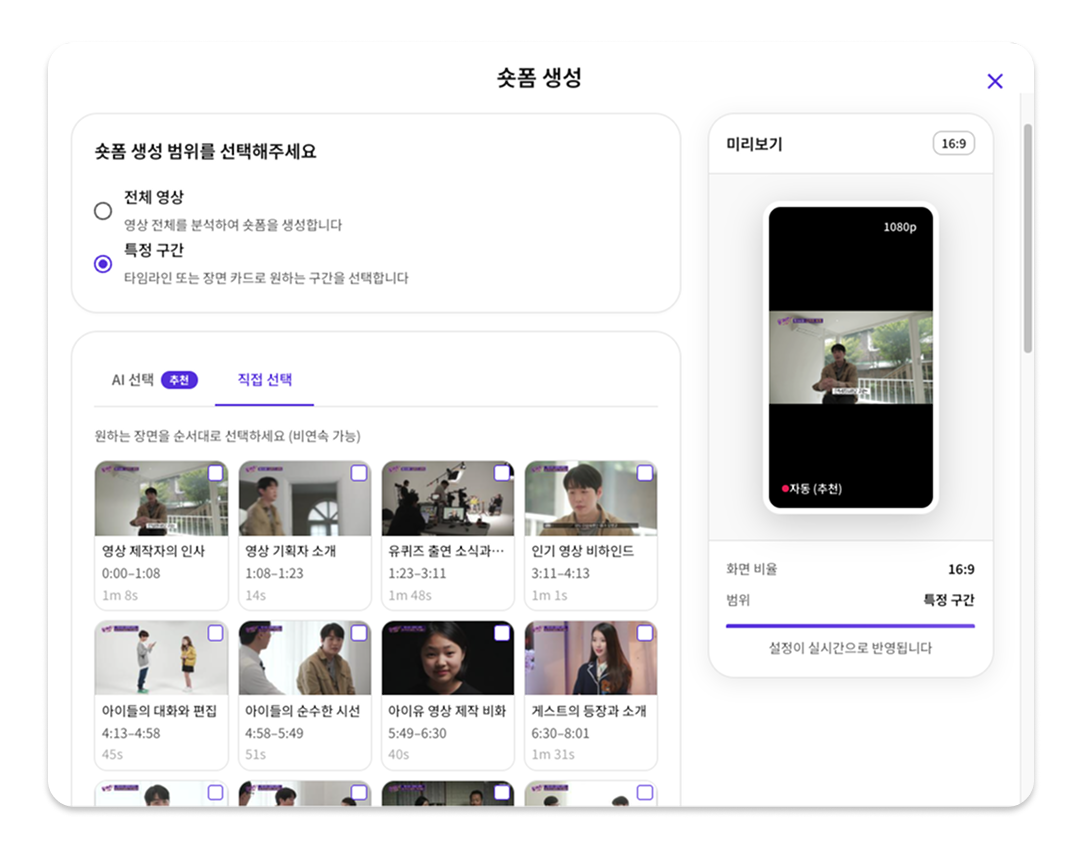
Most settings are the same as the default short-form creation process, but when generating additional shorts, you can use the Manual Selection feature.
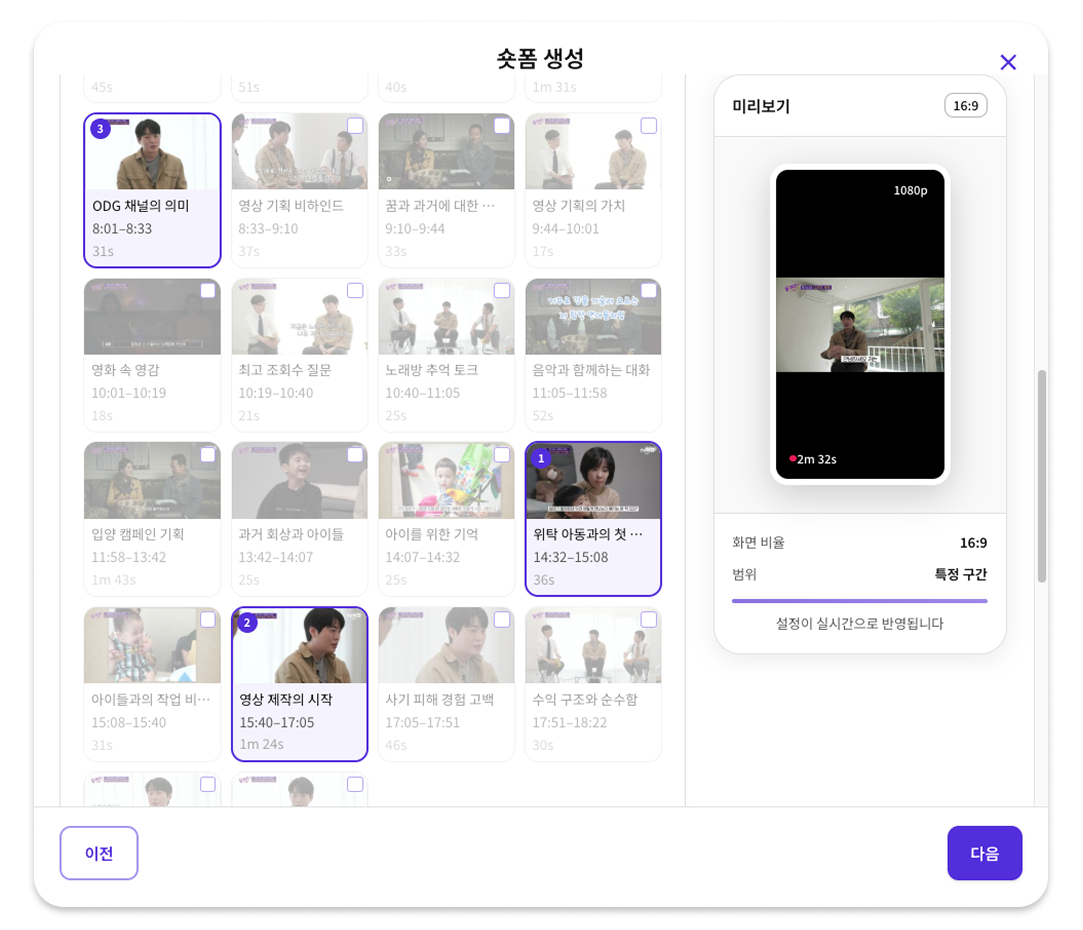
If you want to create a short-form video from a specific segment, try using the Manual Selection feature.
You can review AI-generated segment summaries and thumbnails to choose the section you want, and
select only the desired parts regardless of the timeline.
(※ Currently, for stable service performance, you can select up to 3 segments or a total duration of up to 3 minutes.)
💡 Use Cases
You can combine attention-grabbing scenes from the beginning of a video with key content from the later part to create a single short-form video. (Ex. Interview highlights, Seminar summaries, Product introductions)
3. Create new short-form videos by combining clips from multiple videos
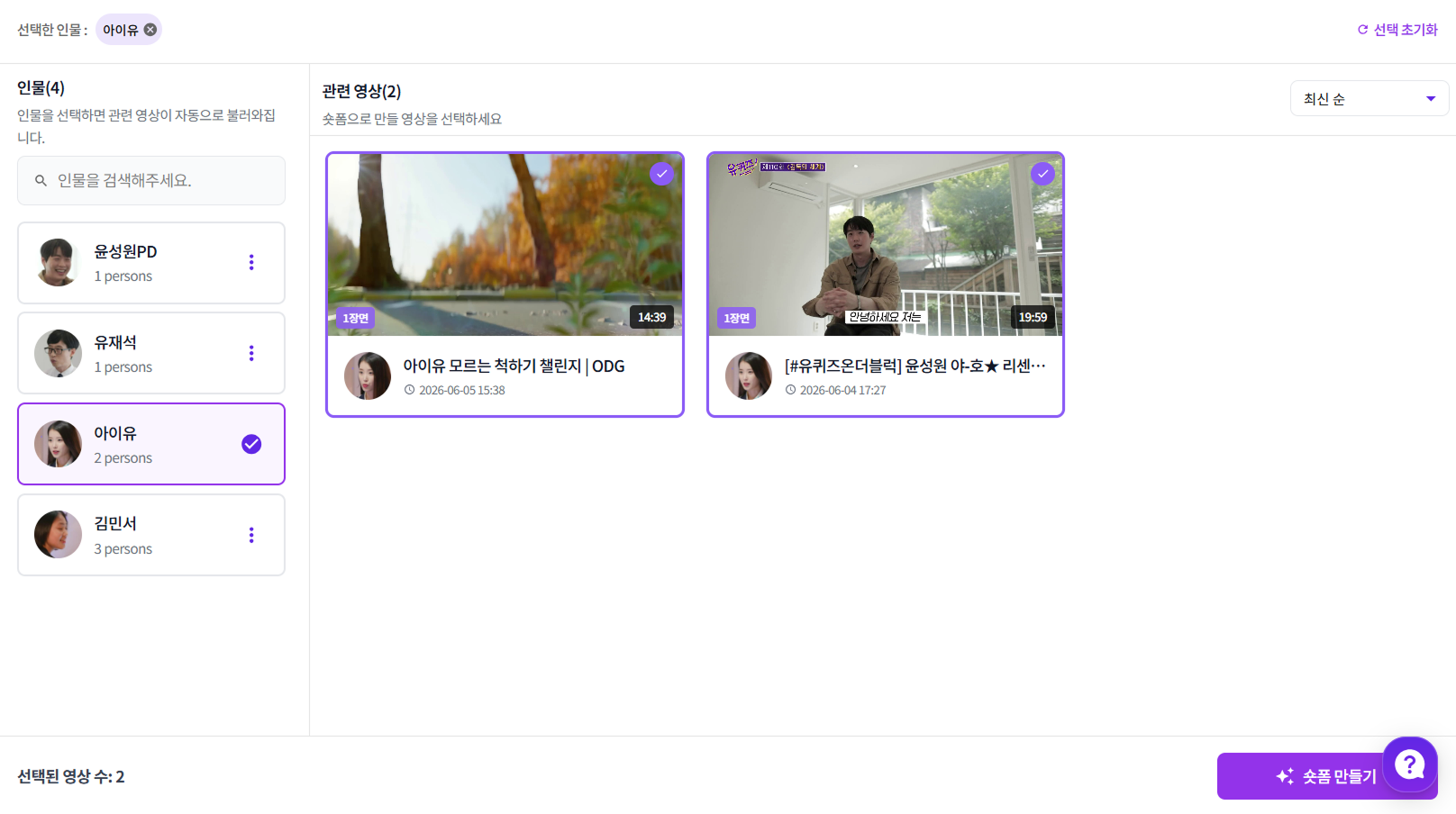
By using Vpick’s [People tab], you can gather all appearances of a specific person scattered across multiple videos and create them into a single short-form video.
👤 Key Points for Person-Based Short-form Creation
✔️ You can quickly find desired scenes by viewing only the segments where the selected person appears.
✔️ Clips selected from multiple videos can be combined into a single short-form video.
This is especially useful for creating person-centered content such as interview compilations or appearance highlight reels.
💡 Use Cases
You can create a new short-form video by collecting only the selected person’s appearance scenes from multiple videos. (Ex. Top 5 ranking shorts, idol fan content, etc.)
How to Check Completed Short-form Videos
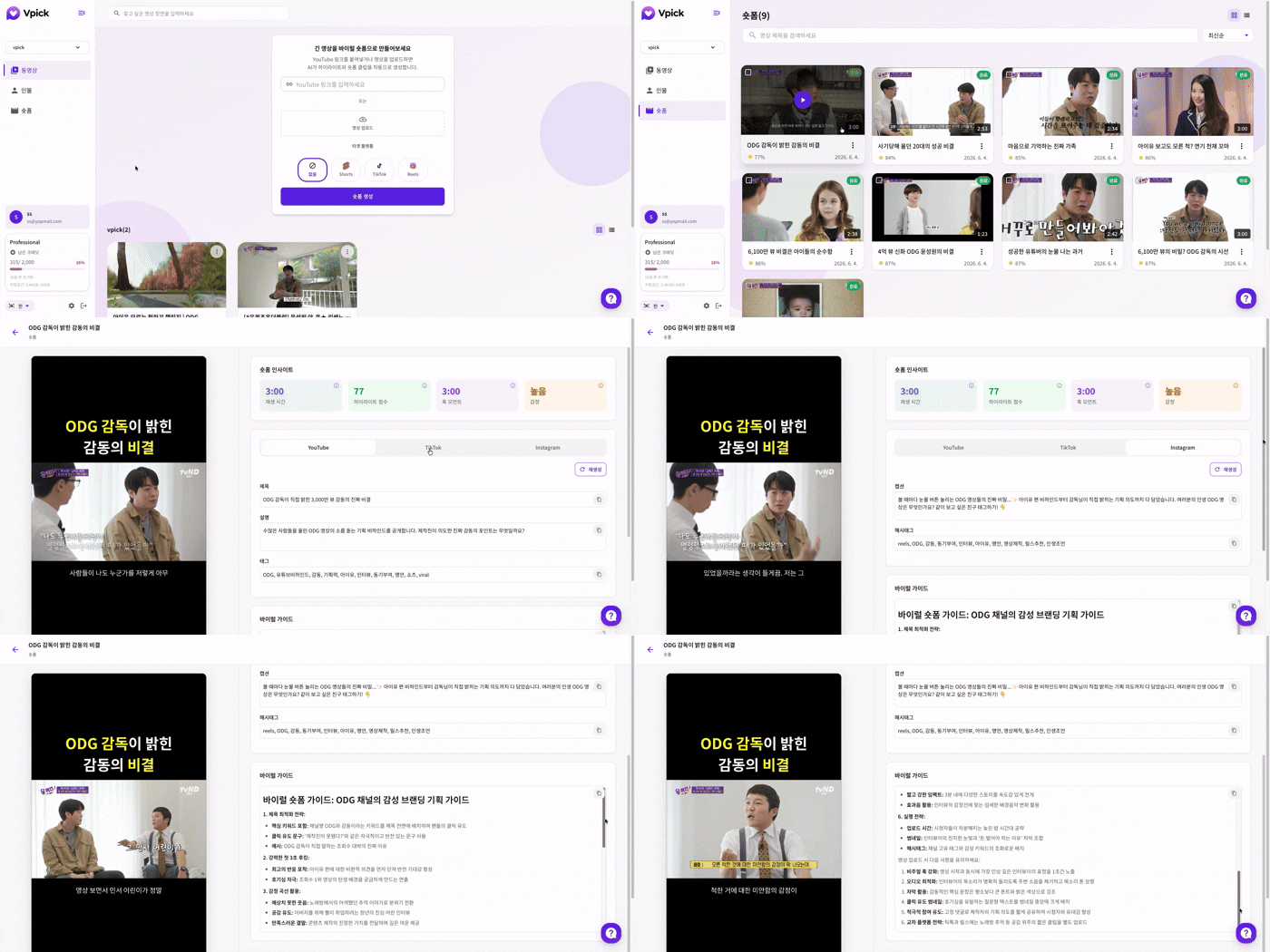
Completed short-form videos are provided with AI-generated Short-form Insights, along with platform-optimized titles, captions, hashtags, and a viral guide. This helps even first-time creators easily understand which elements to emphasize, making the content upload process more efficient and streamlined.
🧐 Which Video Was This Short Made From?
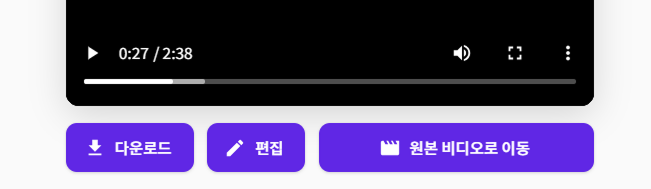
When reviewing a generated short-form video, you might wonder, “What was the original video for this?” In that case, you can click the [Go to Original Video] button to be taken directly to the source video.
Conclusion
Vpick goes beyond simple short-form generation, supporting the entire workflow from analysis and editing to building upload strategies as a single seamless process. With just one uploaded video, AI analyzes the core content and automatically provides both short-form videos and a viral guide, enabling a faster and more efficient content creation experience.
If short-form production has always felt complicated, try generating clips easily with Vpick—without the complex editing process.