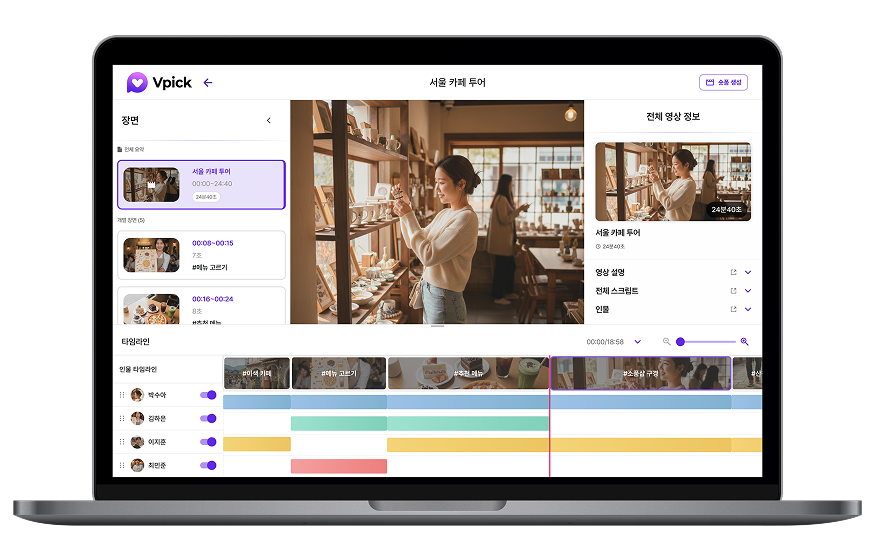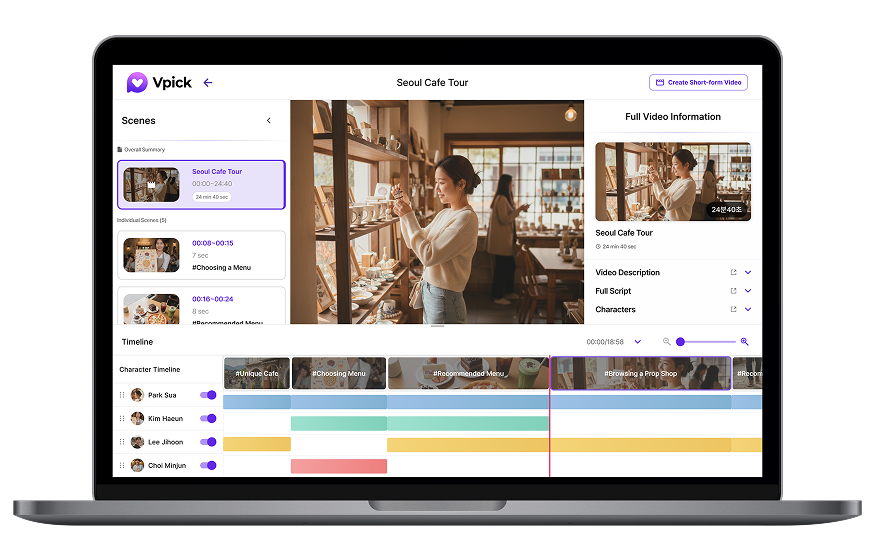

One of the first questions new users ask when trying Vpick is:
“How do I upload a video, and what can I do after uploading it?”
In this tutorial, we’ll walk through these questions step by step.
How to Upload a Video in Vpick
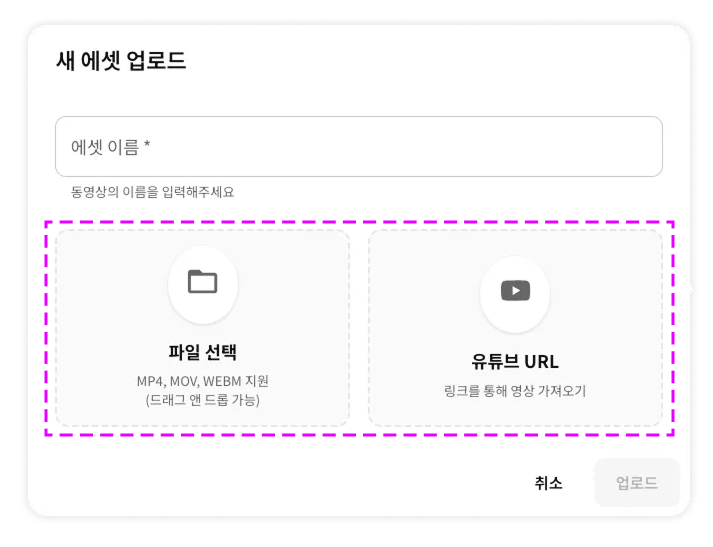
Vpick provides two ways to upload videos.
- 📁 Upload a video file directly from your computer
- 🔗 Import a video using a YouTube link
If your video is already uploaded on YouTube, we recommend using the
link upload
option. If it’s an internal meeting recording or a private video that hasn’t been published yet, the
file upload
option will be more suitable.
Choose the method that best fits your workflow.
✅ Upload Requirements
- If the file name contains special characters ( : " / | \ ? * ), the upload may fail. We recommend using simple file names composed of English letters or numbers whenever possible.
- VPick Free Plan Limits
- Maximum file size per upload: 500MB
- Maximum video length: 1 hour
🔎 How Does AI Video Analysis Work?

Once a video is uploaded, Vpick’s AI
automatically begins analyzing the video without any additional setup.
During the analysis process, you can monitor the progress in real time through a
popup window located at the bottom-right corner of the screen.
Once the analysis is complete, the results become immediately available.
Checking AI Video Analysis Results
Uploaded videos are stored in the Video tab. Click on any video to view its analysis results.
1. Scene Analysis

- A one-line summary
- A timeline timestamp
- A clip-based preview
Even by reading the summary alone, you can quickly understand what happens in that scene.
Vpick analyzes the overall structure and context of the video and automatically divides it into meaningful scene segments.
Clicking a scene instantly jumps to the corresponding part of the video, so you no longer need to replay the entire video just to find one moment.
2. Script (Captions)
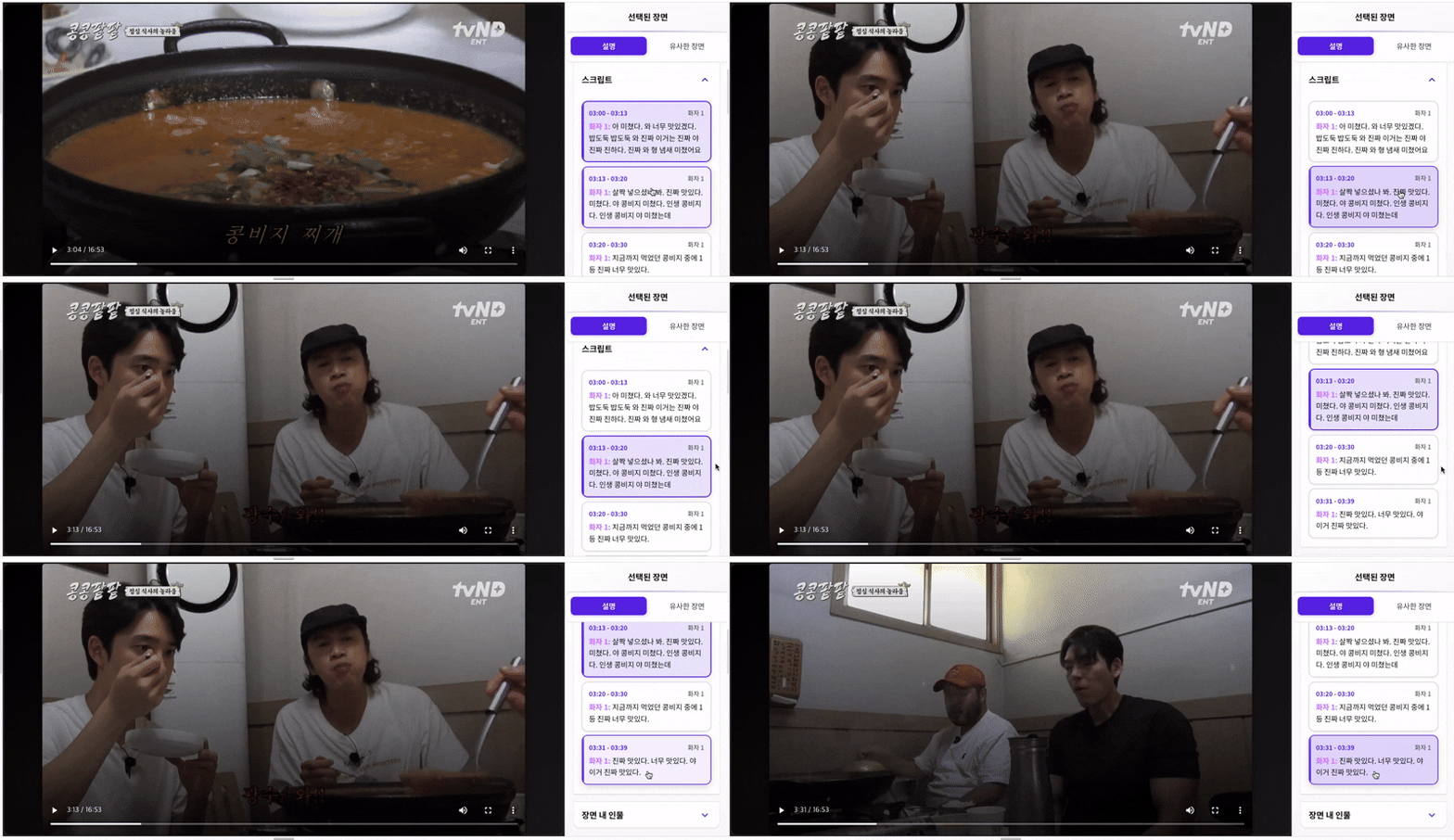
- Click a script line → jump directly to that moment
- Quickly locate specific keywords or statements
Each scene includes both
a scene description and a script (captions).
This allows you to review only the relevant sections instead of replaying the entire video repeatedly.
3. People in the Scene
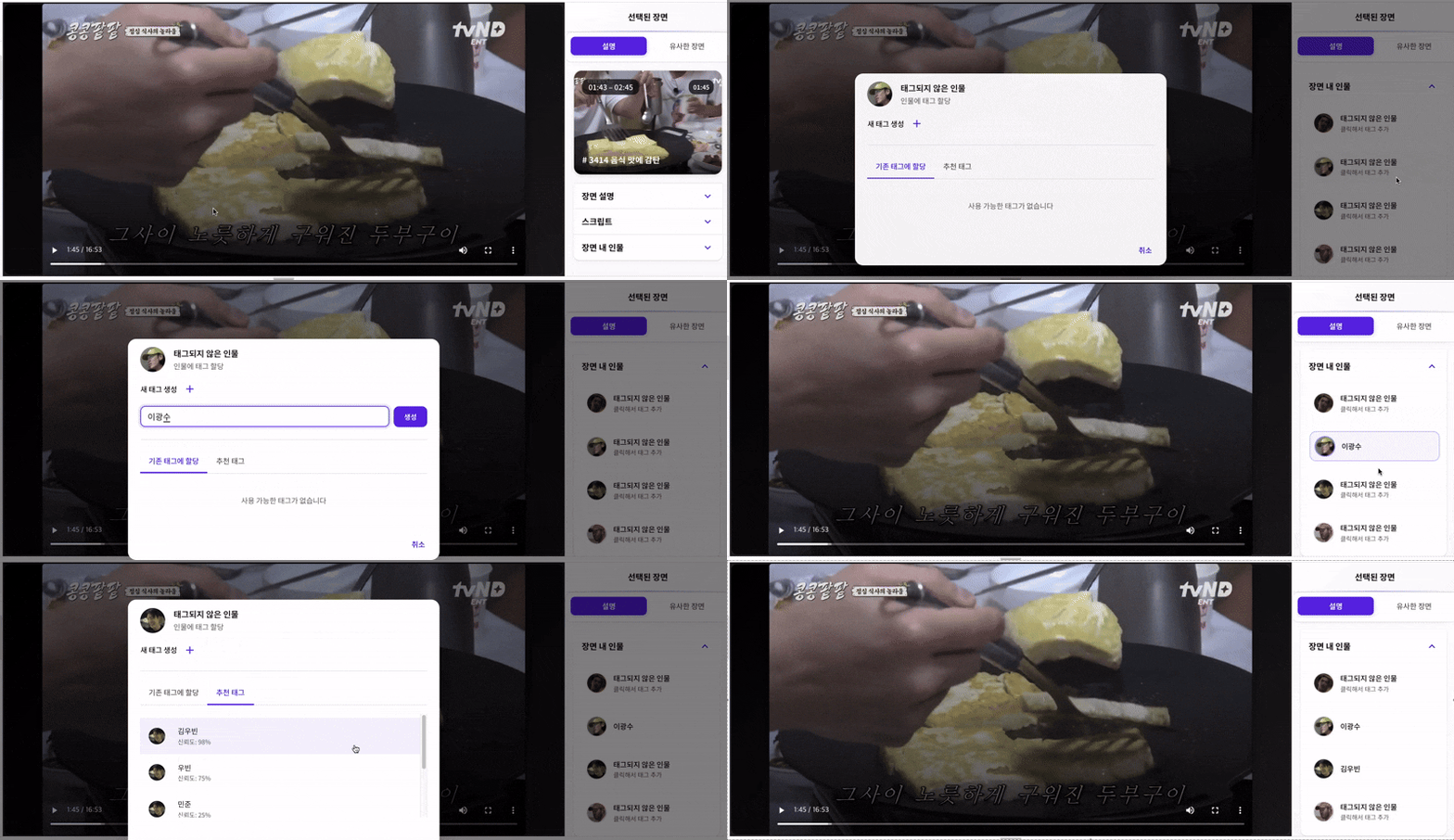
- AI automatically suggests names based on face recognition and dialogue context
- Recognizes Korean and international celebrities, as well as animation characters
- Even non-public figures can appear as suggested tags if their names are mentioned in the video
- Users can also add name tags manually
The People in Scene feature allows you to assign name tags to detected individuals.
This makes it much easier to organize and locate videos based on people—especially useful for managing interviews or meeting recordings.
4. Similar Scene Recommendations
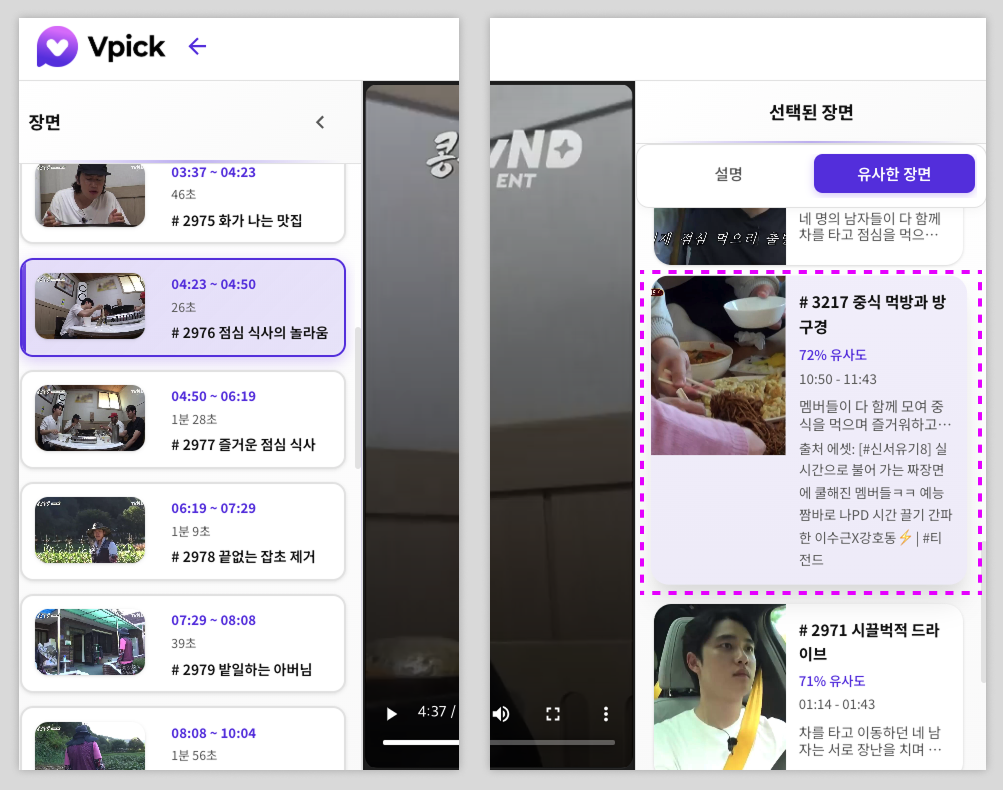
Vpick automatically suggests scenes that are similar in context or content to the scene you are currently viewing.
- Recommendations from the same video
- Recommendations from other videos within the same project
- Click a result to jump directly to the corresponding scene
Using this feature significantly reduces the time spent searching for similar cuts when reviewing footage or creating content.
🧐 What Is a Project?
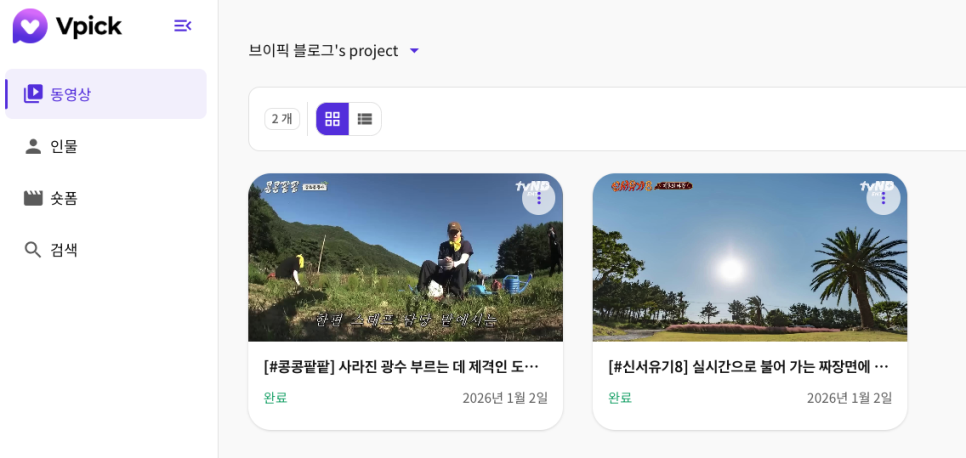
In Vpick, a project is the basic container for videos—similar to a folder.
- Multiple videos can be uploaded within a single project
- Analysis results are managed at the project level
- Projects can be organized based on workflows or content purposes
Organizing projects effectively helps manage both videos and their analysis results more systematically.
5.Timeline
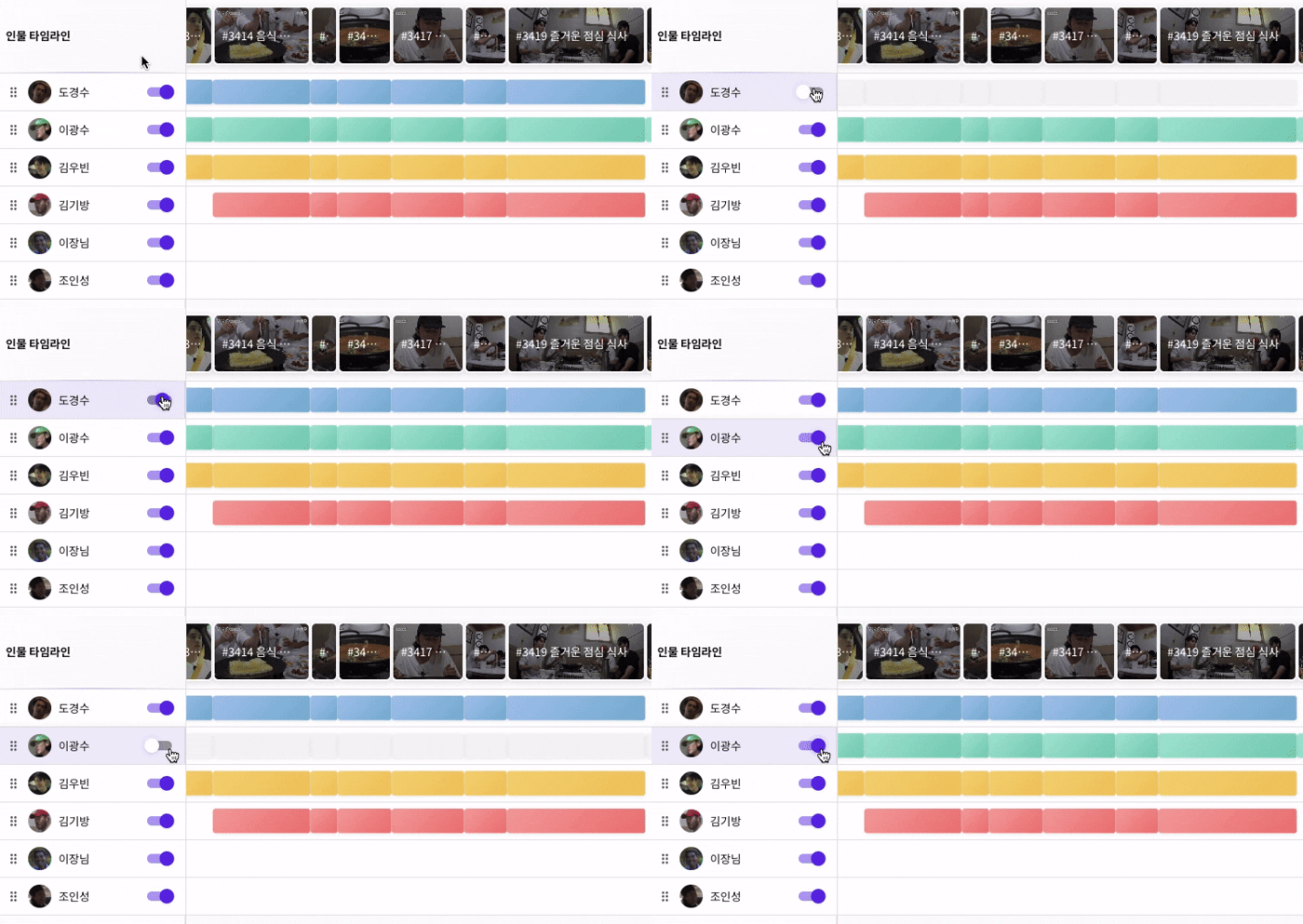
- Quickly locate segments where a specific person appears
- Skip unnecessary parts and focus only on relevant scenes
In the timeline view, segments where individuals appear are displayed as blocks. This visual structure makes video navigation and review significantly faster.
Conclusion
With Vpick’s video upload and AI analysis features,
videos are no longer just files stored for later viewing.
They become searchable and actionable data.
Simply upload your video and the analysis runs automatically—allowing you to quickly explore scenes, scripts, and people without additional configuration.
Upload your video today and see how AI video analysis in Vpick can transform the way you work with video content.